Passport renewal
- Birth certificate — done
- Two photos — done
- Timbre fiscal — 80.000 TND
- Book the appointment
A private notebook — checklists, tables, pasted screenshots — that also keeps your spending, debts and papers straight. Encrypted on your phone and your computer. No account. No server. Nobody else’s cloud.
Free and MIT-licensed, for Android, Windows and Linux. It works with the network off.
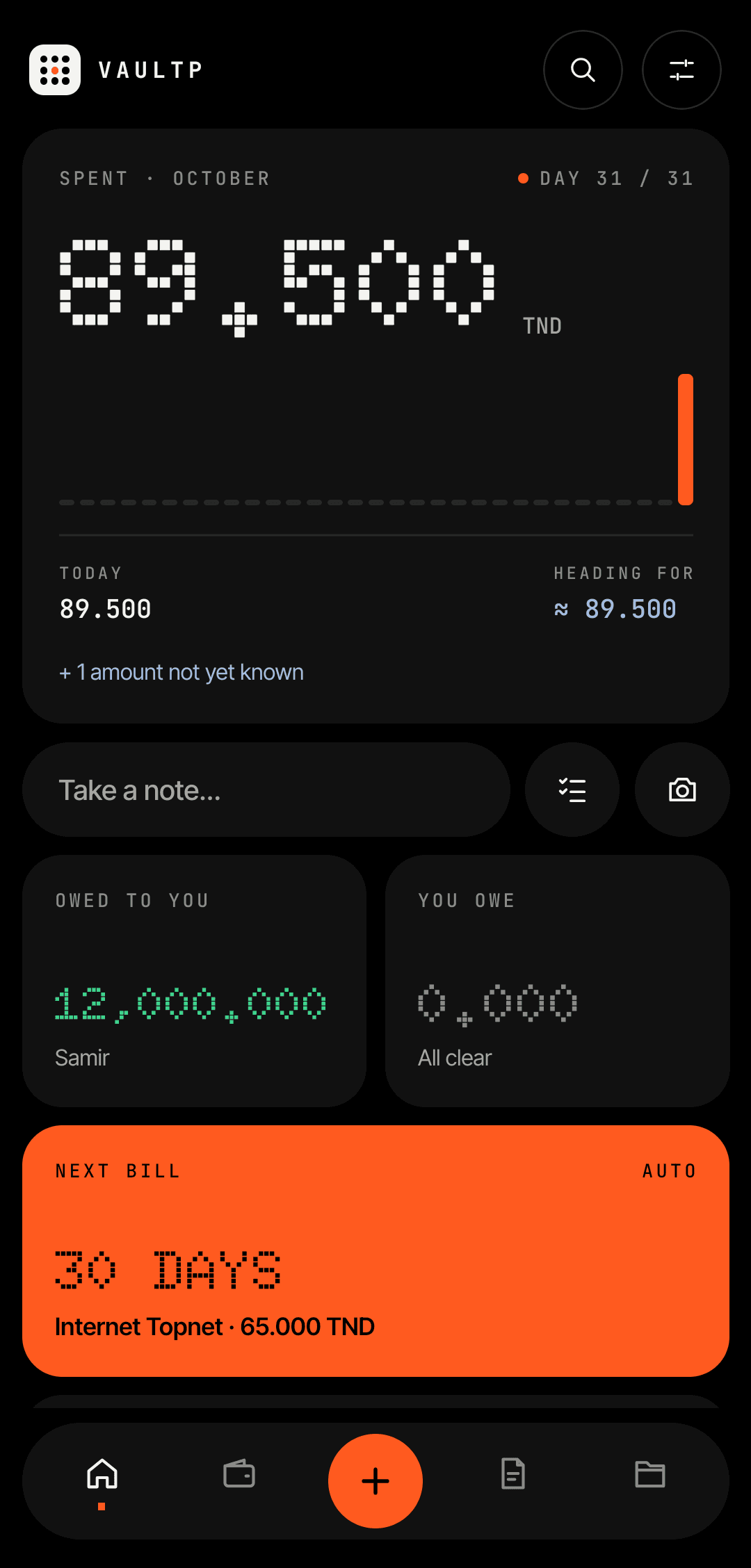
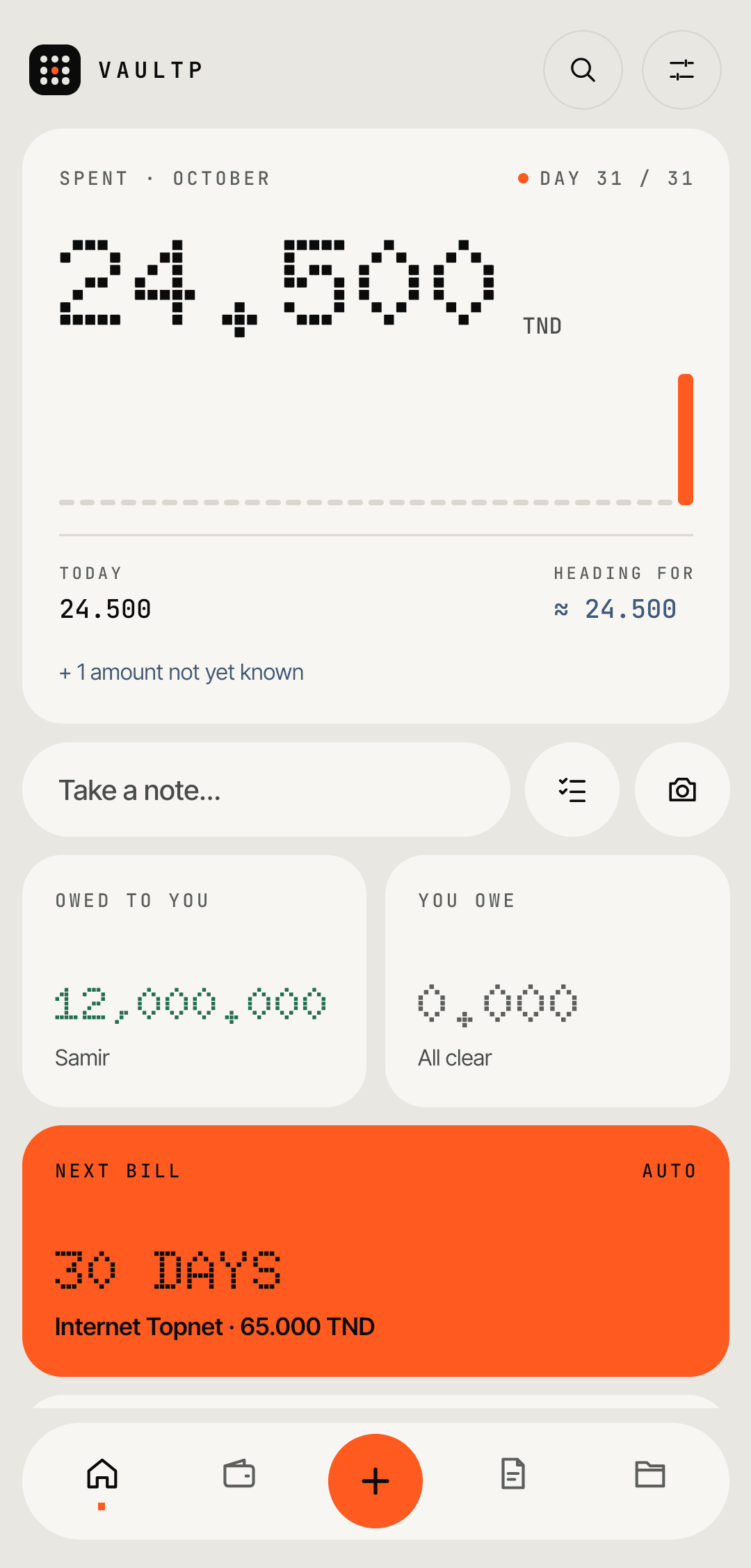
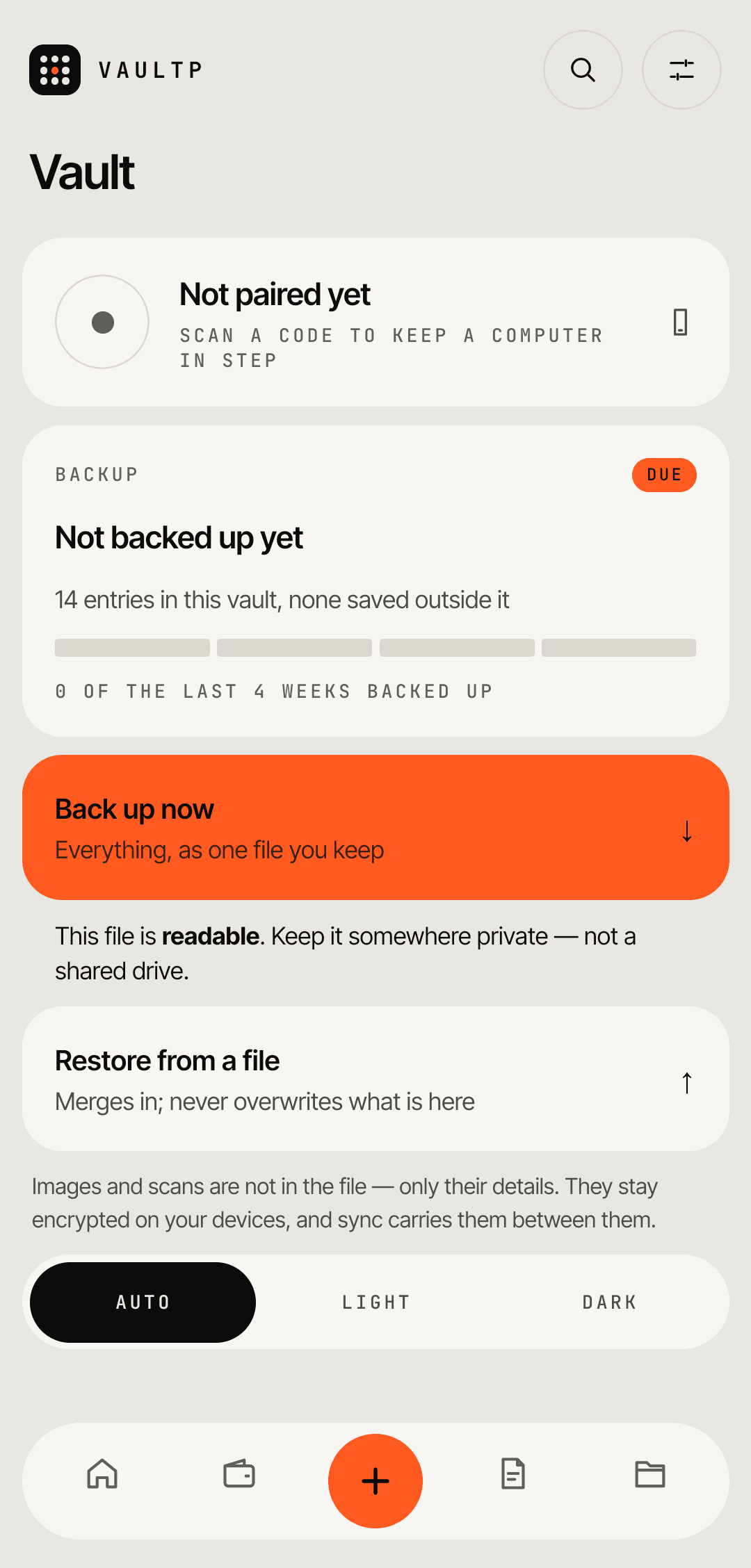
Figures on a dot-matrix face, the month as one bar per day, and orange only where something wants you. Dark, light or following your system, on your phone and your computer alike.
Everything else grew around it. A notebook in the manner of Google Keep, that lives only on your devices: write a line, tick a list, drop in a table or a screenshot, and put it in a folder by dragging it there.
Pasted straight in — encrypted the moment it lands.
| Item | Who | TND |
|---|---|---|
| Train | Me | 42.500 |
| Hotel | Sami | 310.000 |
| Food | Split | ≈ 120.000 |
• A lamp for the desk
• Shelf above the printer
• Ask about the old frame
Router in the box on the second floor. Label on the underside.
Enter makes the next item, ticked ones can drop to the bottom, and a card shows how far along you are.
Grow a table by rows and columns. Add a photo, pick from the gallery, or paste a screenshot — each one encrypted on its own key.
Hold a note and a line traces its border; at the end it lifts. Drop it between notes to reorder, or on a folder to file it.
Open it from anywhere. Notes down to their table cells and image captions, expenses, people, and the text read out of your scans.
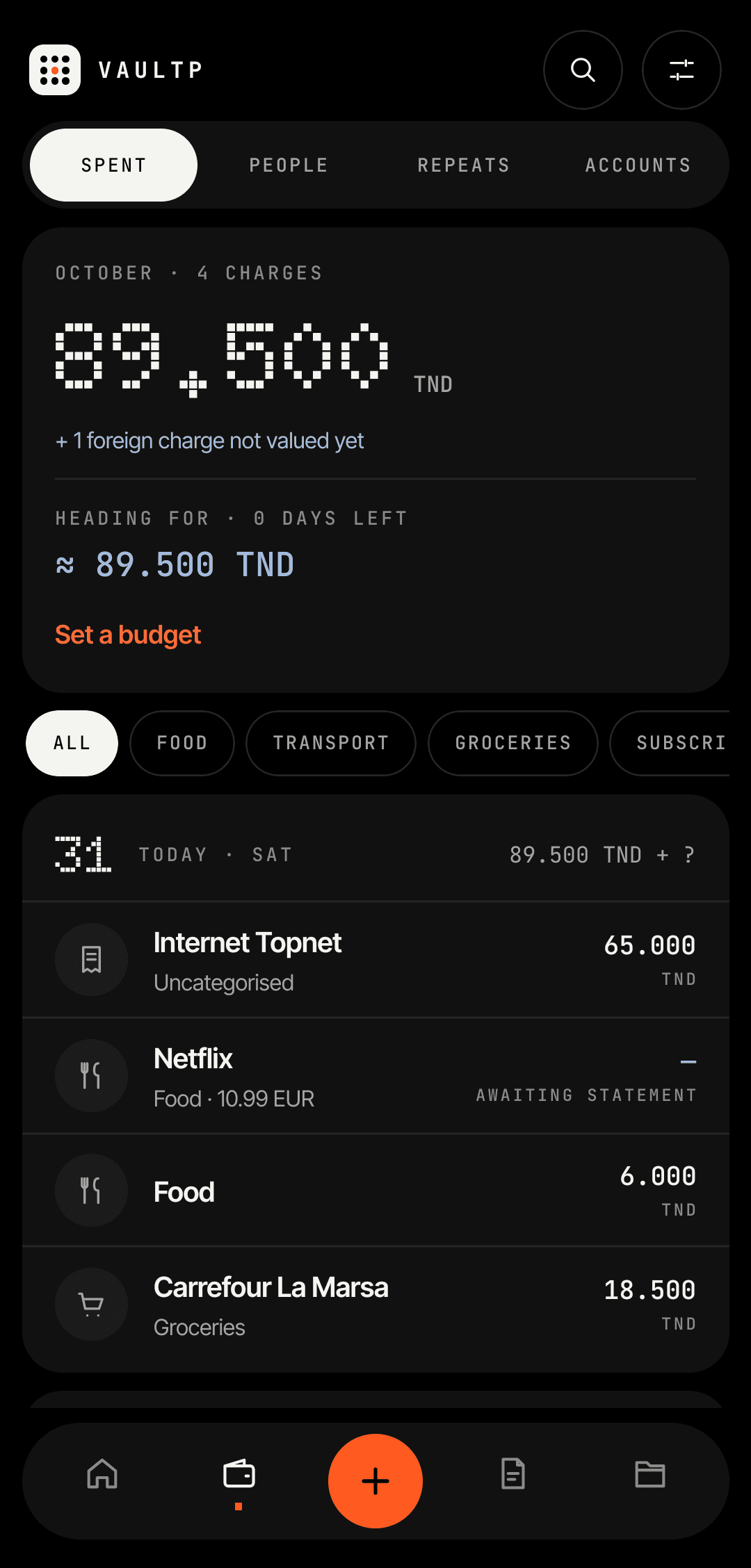
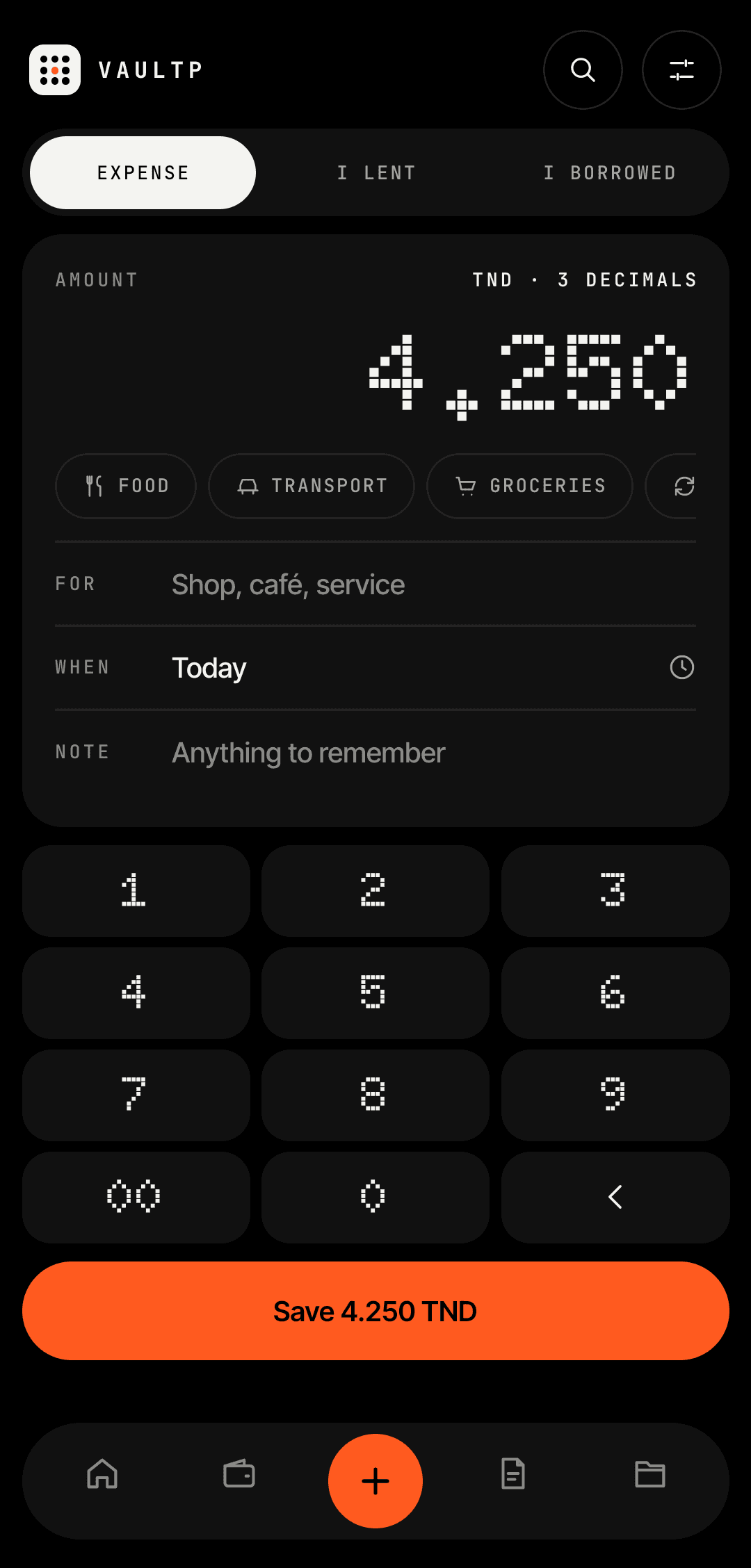
Built for the dinar’s three decimal places, and for being honest about what is known. Green is what comes back, orange is what you owe, an estimate wears a ≈, and nothing about money is ever red.
A fact. Shown plainly.
Marked with ≈ until the statement lands. Never mistaken for a fact.
No value yet — and never shown as zero.
Or just remind you — a due charge is one tap from recorded.
Loans, partial payments and interest, with corrections visible rather than erased.
Scans kept encrypted, with expiry warnings on each document's own lead time.
Tracked against the year, with the day it is projected to run out.
Digits fill in from the right, so the decimals are always there.
Balances you type in yourself, each with the day it was true. Nothing connects to a bank.
A privacy app should tell you its limits as clearly as its strengths. Here are both, taken from the security document in the repository.
passphrase  ─ PBKDF2-SHA512 ×210,000 ─▶  wrapping key
                                           │ unwraps
data key (random, never derived)  ◀───────┘
    │ HKDF
    ├─▶ database     SQLCipher, AES-256
    ├─▶ files        AES-256-GCM, one key per file
    ├─▶ sync         AES-256-GCM, per segment
    └─▶ credentials  your Drive sign-in, if you use it
! Not independently audited. Written carefully and tested across both platforms — weigh that against what you store.
Scan a code once and the two find each other on your Wi-Fi. Or point both at storage you already trust, which only ever receives sealed bytes.
The computer shows a QR code, the phone scans it, and from then on they keep in step over the Wi-Fi you share. No account, and nothing leaves the house.
Syncthing, a shared drive, a USB stick — anything that keeps a folder the same in two places.
Through your own Google project, scoped to the one folder the app creates. Google stores ciphertext.
One device, fully offline, forever. Nothing about the app assumes a network.
The same scan unlocks the computer. Your phone asks for your fingerprint and hands the key across, sealed so only that computer can open it, with no passphrase to type.
Version 0.2.1 for Android, Windows and Linux. Free and open source.
Installs for you alone, with no administrator, and updates itself.
Download the installerPortable .exe, does not update itselfRuns on any distribution, nothing installed, and updates itself.
Download the AppImage.deb for Ubuntu, Kubuntu and DebianGoogle Play listing coming soon. Desktop builds are not code-signed: Windows will ask before the first run, and every file can be checked against SHA256SUMS.txt. On Ubuntu 24.04 and later, if the AppImage closes at once, use the .deb. Or build it yourself.